Enterprise AI Employees
AI Business Process Assistant (Weijia Cloud Forms)
AI-powered setup. Experience the new era of app development instantly.
Core Advantages
Four Core Value Drivers Empowering Enterprise Digitalization
System Interconnection
Break down data silos by interconnecting application systems and managing all business processes on a single platform.
Standardize the process
Standardize business processes, enable efficient internal collaboration, and automate multi-node approval workflows.
Easy to use
Design apps with drag-and-drop. Simple to use, no coding required—accessible to everyone.
AI Intelligence
Build forms and generate reports using natural language for smarter, more efficient setup.
AI Intelligent Capabilities
Reshape business processes with AI
AI Assistant
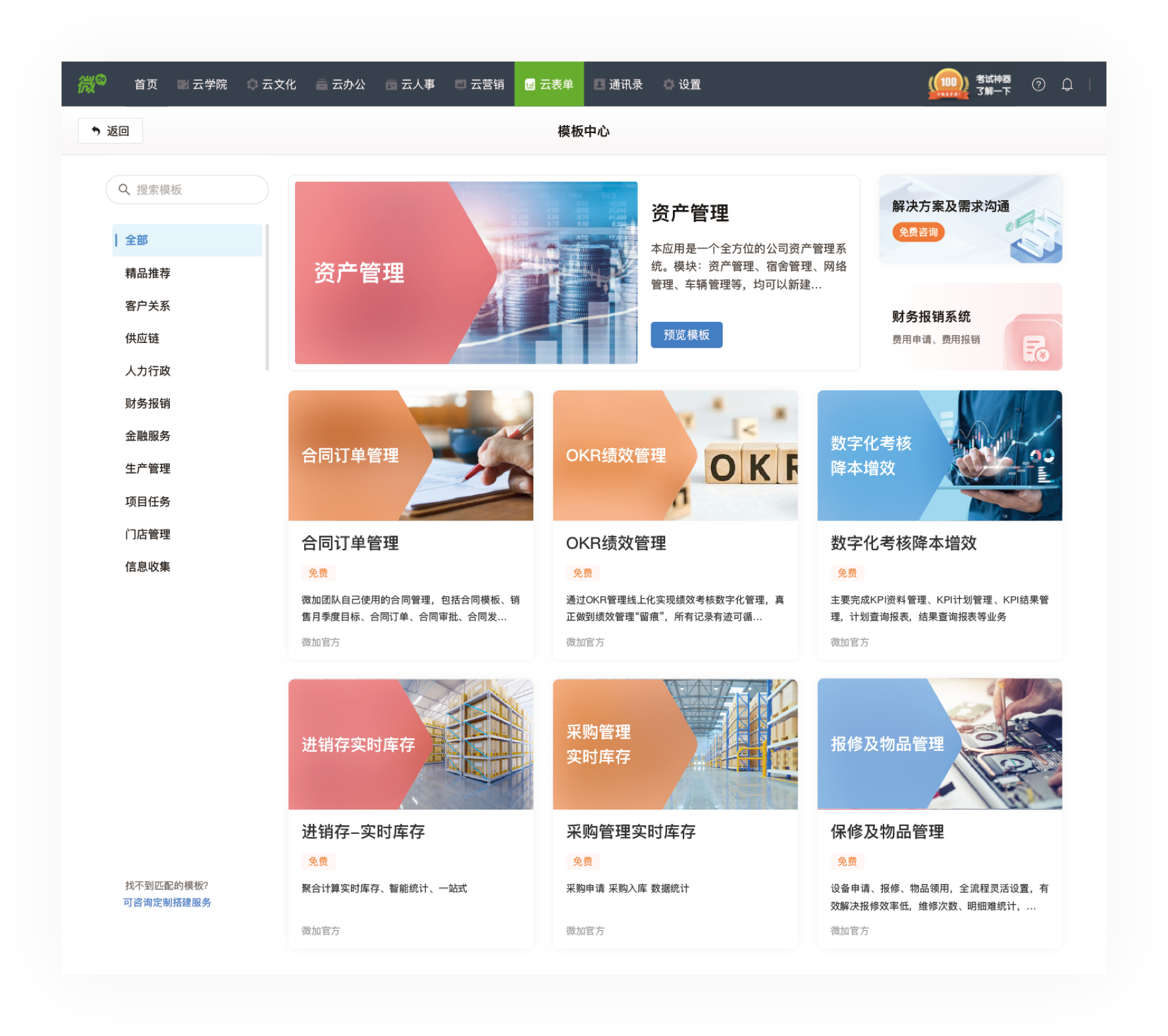
Built on Chuling's proprietary Jizhi AI Agent platform, members can use the AI Assistant in the form client after installation and configuration to enable quick ticket creation, workflow approval, and knowledge Q&A.
Build apps with AI
Application description or business scenario: AI automatically analyzes and lists all forms in the application along with their meanings.
AI-Generated Forms & Reports
Enter your desired form in the chat, and let AI generate the form and statistical charts for you.
AI Function
Describe your desired calculation result in natural language. AI will automatically select the appropriate function to generate the formula (e.g., "Sum amounts").
AI Fill
During form filling, AI can summarize, categorize, translate, and extract key information from other fields, then auto-populate them.
Four Core Engines
Build for any business scenario with four core engines
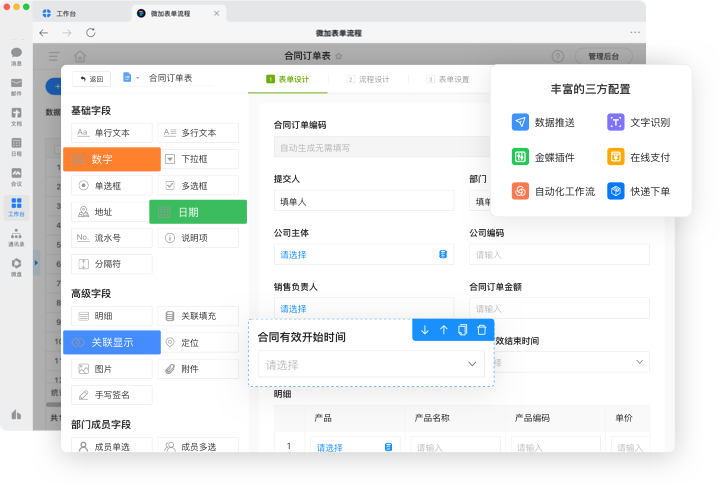
Form Engine
Rich field types and layout capabilities
- Enrich field types
- Field Attribute Configuration
- Custom Layout
- Form linkage
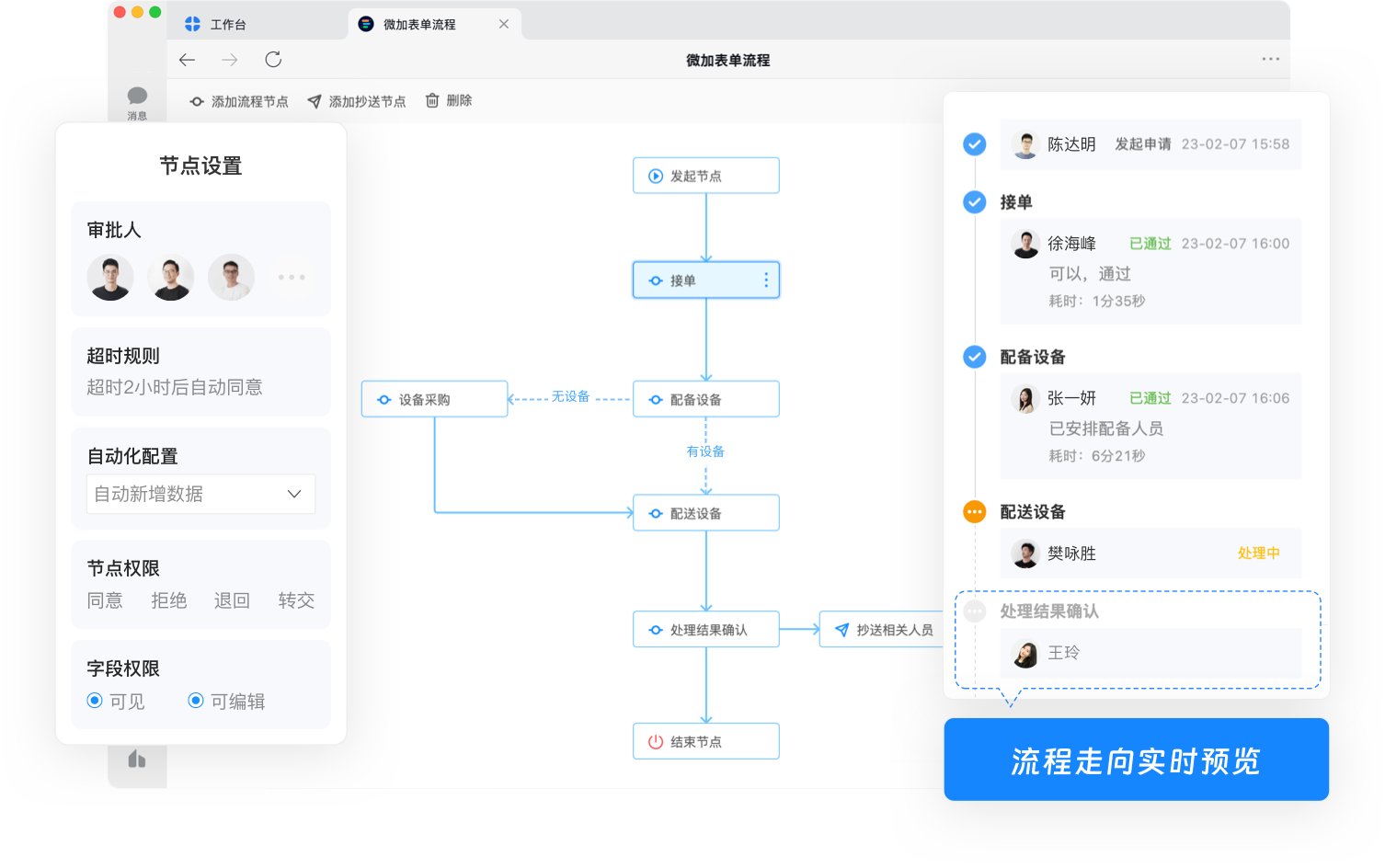
Workflow Engine
Visual workflow design, no code required
- Multi-node approval
- Workflow Condition Settings
- Node Permission Settings
- Timeout handling reminder
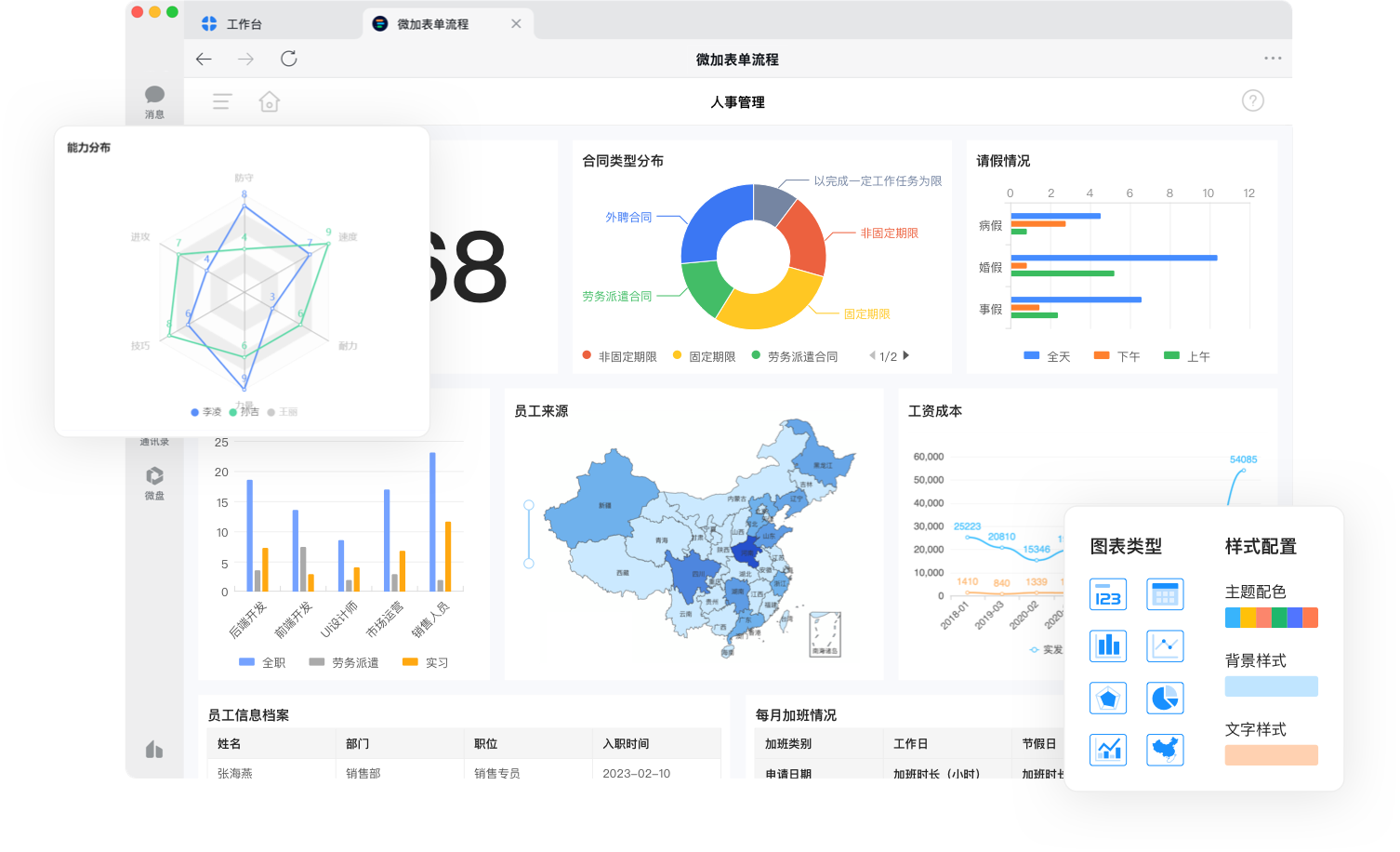
Report Engine
Real-time Data Visualization and Multi-dimensional Analysis
- Multiple Display Types
- Multi-dimensional Analysis
- Multi-device support
- Role Data Permissions
Automation Engine
Rule-driven, automatic business triggers
- Auto add, update, and delete
- Auto-push notification
- Cross-table trigger
- Scheduled Tasks
Form Engine
Visual Form Designer
What you see is what you get
Rich field types and flexible layout capabilities let you build any business form like building blocks. Supports dynamic form interactions and advanced functions to handle complex business logic.
Workflow Engine
Visual Workflow Designer
Create effortlessly without code
Visual workflow designer with an intuitive interface. Build and maintain business process apps effortlessly—no coding required. Supports complex approval scenarios like co-signing, alternative routing, and conditional branching.
Report Engine
Real-time Data Reports
Multi-dimensional visual analytics
Visualize large volumes of business data in reports accessible from both desktop and mobile devices. View real-time insights tailored to your role.
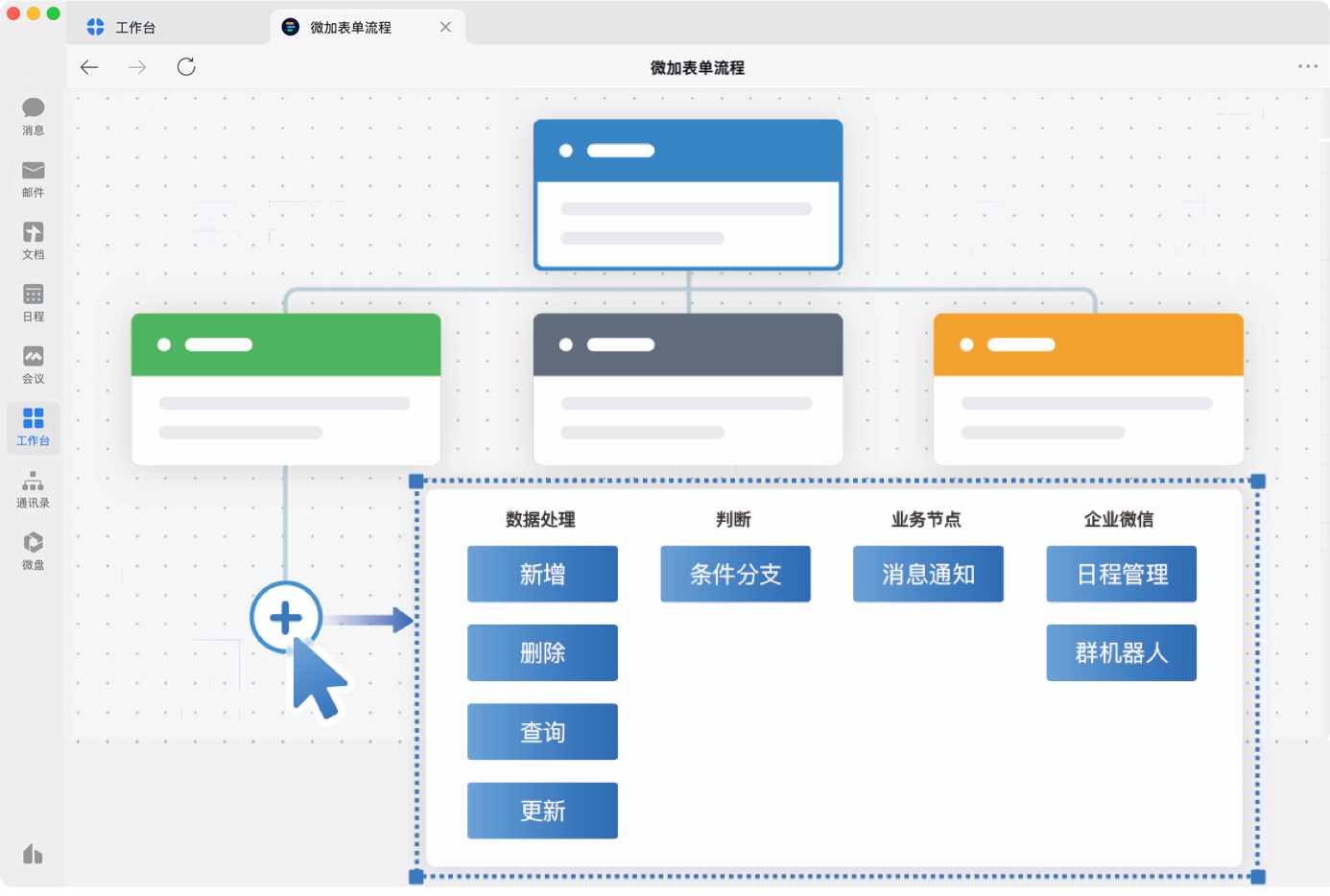
Automation Engine
Rule-based automation
Let the system work for you
Automatically add or update form data in another app based on predefined rules to enable cross-app integration and business automation, reducing manual effort.
A platform
Build OA, MES, HRM, WMS, CRM, and more.